Showing posts with label Lightroom fixes. Show all posts

Monday, January 16, 2012

Learning How To Make A Collage Template

After seeing the album page of Christmas photos I posted on Facebook, my mother in law said that she felt seeing all the colors from a bunch of different images was more striking than any one picture alone. I got the idea that it would be neat to try and find a way to make a collage type picture in Lightroom.

After finding a video on Youtube explaining how to set up a custom package in the print options, it was just a matter of patiently fitting the cells into a cohesive layout.


Thursday, October 6, 2011

Autumn Leaves


I found this branch interesting because it contained all the colors of the leaf rainbow in the same place and in order. After making all the color adjustments I wanted in Lightroom, I cropped it to emphasize the branch.


So I decided that the image deserved a caption like 'color life cycle' or 'evolution of color'. But I knew that most people view a photo as they read - from left to right, top to bottom and wanted the green on the left hand border. So I went hunting for a way to flip the photo in Lightroom. I ended up finding an online manual for the program, and found the function in the Photo menu at the top. Finished product.


Monday, October 3, 2011

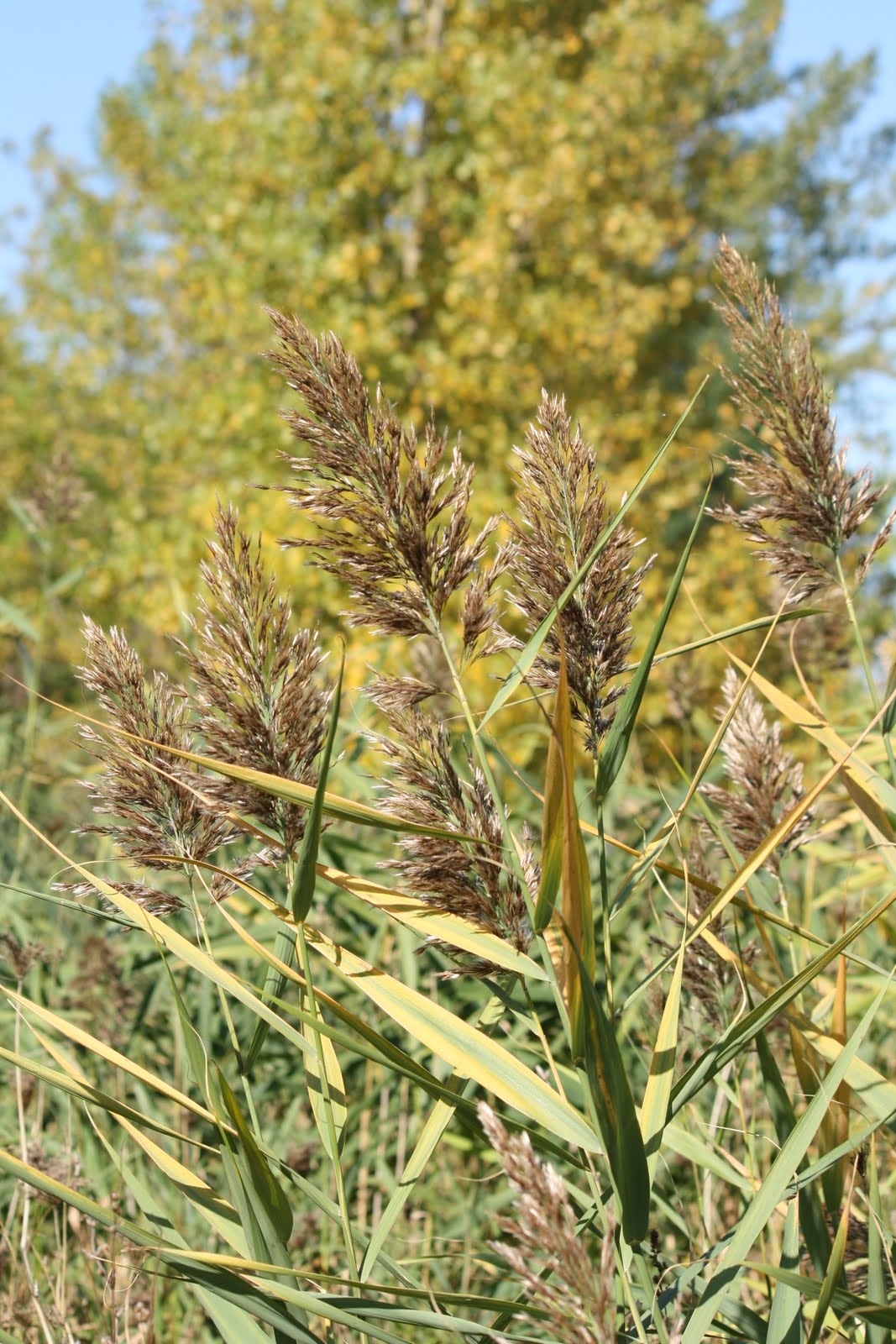
Reeds In The wind

When i took this photo i was hoping the contrast between the green in the foreground and the yellow leaves of the tree in the background would be more noticeable. In part, it was a little over exposed. Off to Lightroom we go.


After the regular adjustments to recovery, clarity and contrast, I took the exposure down some and hit it with a little vibrancy. The reeds still weren't popping against the background, so i started to play with the hue sliders, specifically the yellow, orange and green to see if taking away anything would mute the yellow tree in the background. What actually happened was that by taking away a lot of the orange from the photo, the reeds turned darker color instead of the muted gold. Works for me.


Friday, June 10, 2011

Playing with darkness and light in Lightroom.

Everything was abuzz on the waterfront this morning. Birds and insects, fowl and fish. If it could move or make noise, it was doing it. I took some sunrise sky shots of cloud cover then hit the mud trail for bird and duck watching.

The picture below was a quick snap of a bird as he perched on a broken reed over the water. The settings were ƒ/6.3, 1/200 sec. at 100 ISO, 250mm lens strolled all the way out with the auto focus turned off.


When I got the image uploaded on the computer it was plain to see that it was really dark. I had been taking most of the shots with the morning sun behind me or right out on the water. The shaded back lit underbrush was a quick reaction picture. But I still really liked the feel of the photo.

Once in Lightroom, I cropped a bit to get rid of the out of focus leaves in the foreground. Then I edged the the exposure down some to get rid of the coloring on the wing to make it a true silhouette. After that I used the recovery function to give substance to the background. Next I added +20 to the clarity to give the water ripples and then brought up the vibrancy to pop the green on the leaves and to give the water some hue. Less than two minutes and it's a totally different picture.